
Clash Meta for Android Download and Config | Latest Version v2.11.21 Simple Installation
Clash Meta for Android is the successor to Clash for Android. The operation is the same as Clash for Android. It is based on the Clash Meta core, supports multiple protocols, and has an active community. Official Repository ↗

App Preview:
Clash Meta for Android Download
The universal version is recommended, as it supports all CPU architectures and has the best compatibility.
| Platform | Architecture | Description | Official Download | Fast Download |
|---|---|---|---|---|
| Android |  | ⭐ Recommended (Universal) | Direct | ⚡️ Fast |
 | ⭐ Recommended Mainstream Phones | Direct | ⚡️ Fast | |
 | Older Phones | Direct | ⚡️ Fast | |
 | Emulators/x86 Tablets | Direct | ⚡️ Fast |
Installation Steps
1. Installation
If your browser prompts a security warning when downloading the APK, please allow the installation appropriately.
2. Get Configuration
Register and log in to the subscription management console to find the "One-Click Subscribe" or "Copy Subscribe Link" button. 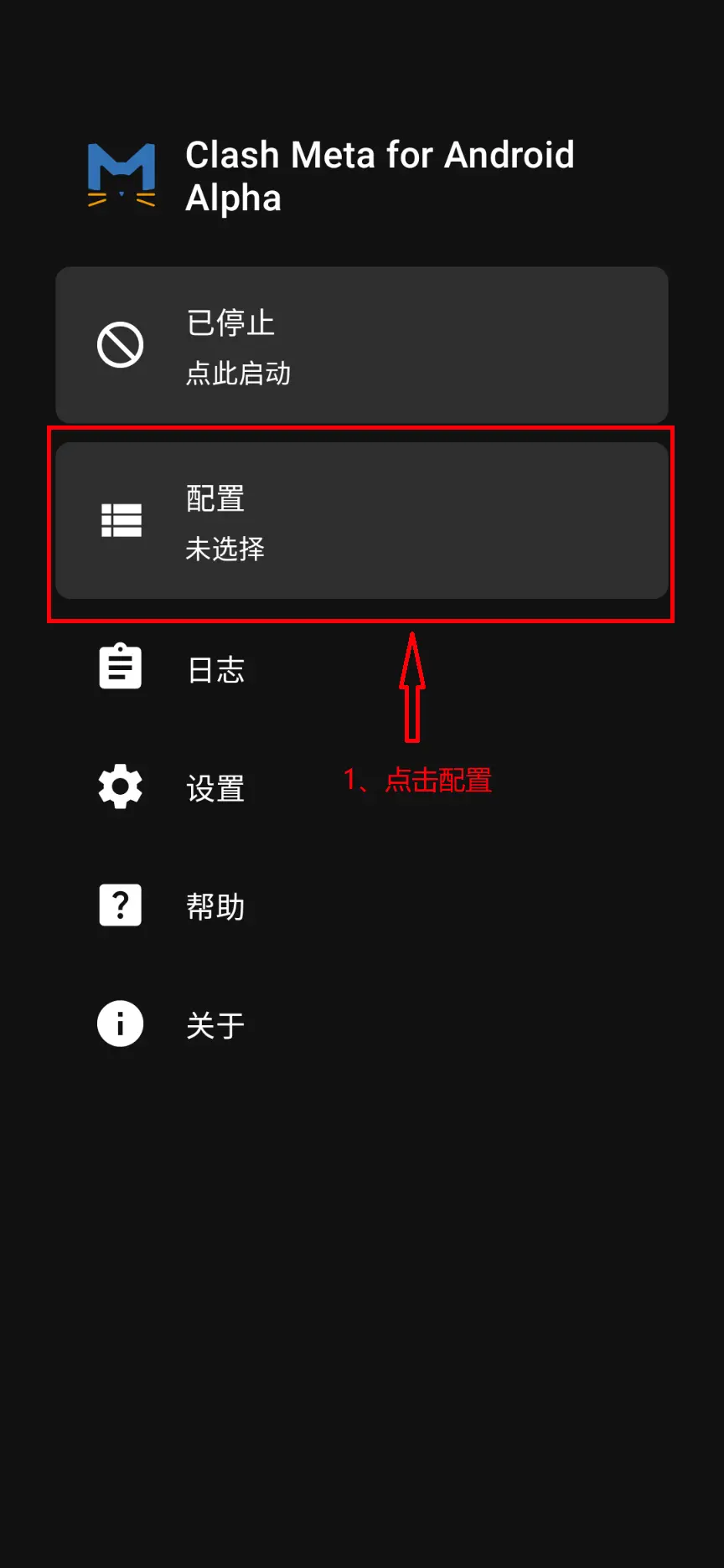
3. Import Configuration
- Open the "Clash Meta for Android" App.
- Click Profiles (Configuration).
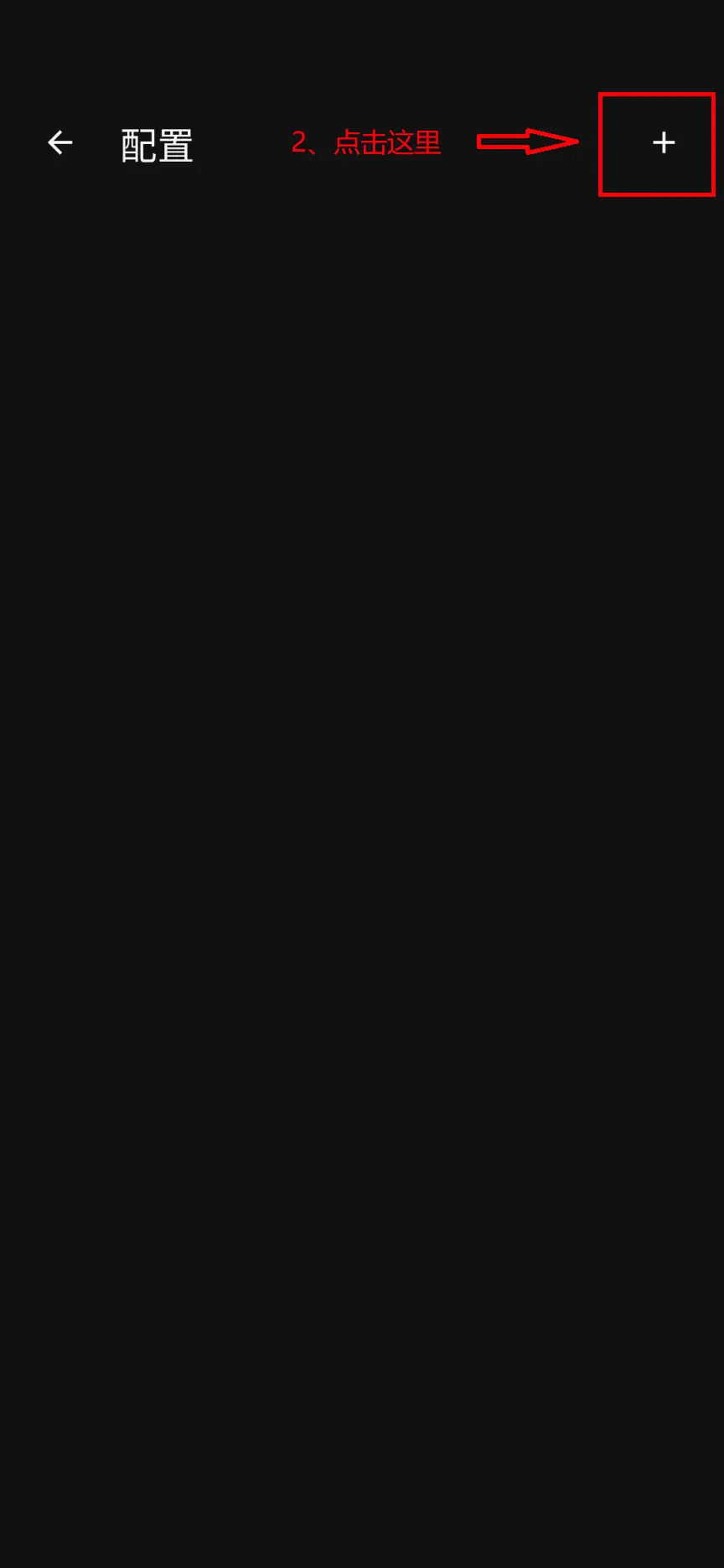
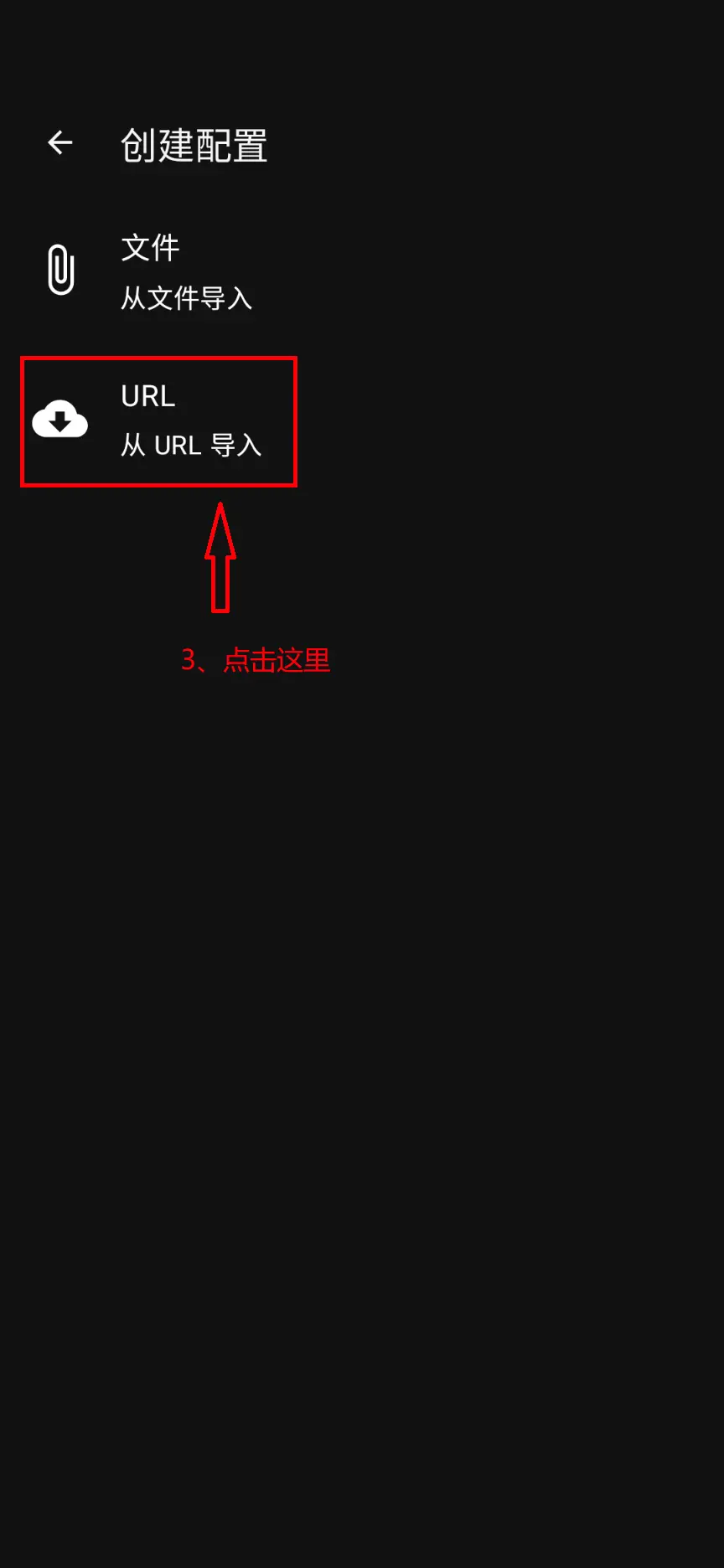
- Click the
+sign in the upper right corner -> URL (Import from URL). - Name: Enter any name (e.g., My Subscription).
- URL: Paste the subscription link you just copied.
- Click the save icon (💾) in the upper right corner.
Select the newly added specific configuration file (it will turn blue/active when selected).
4. Start Program
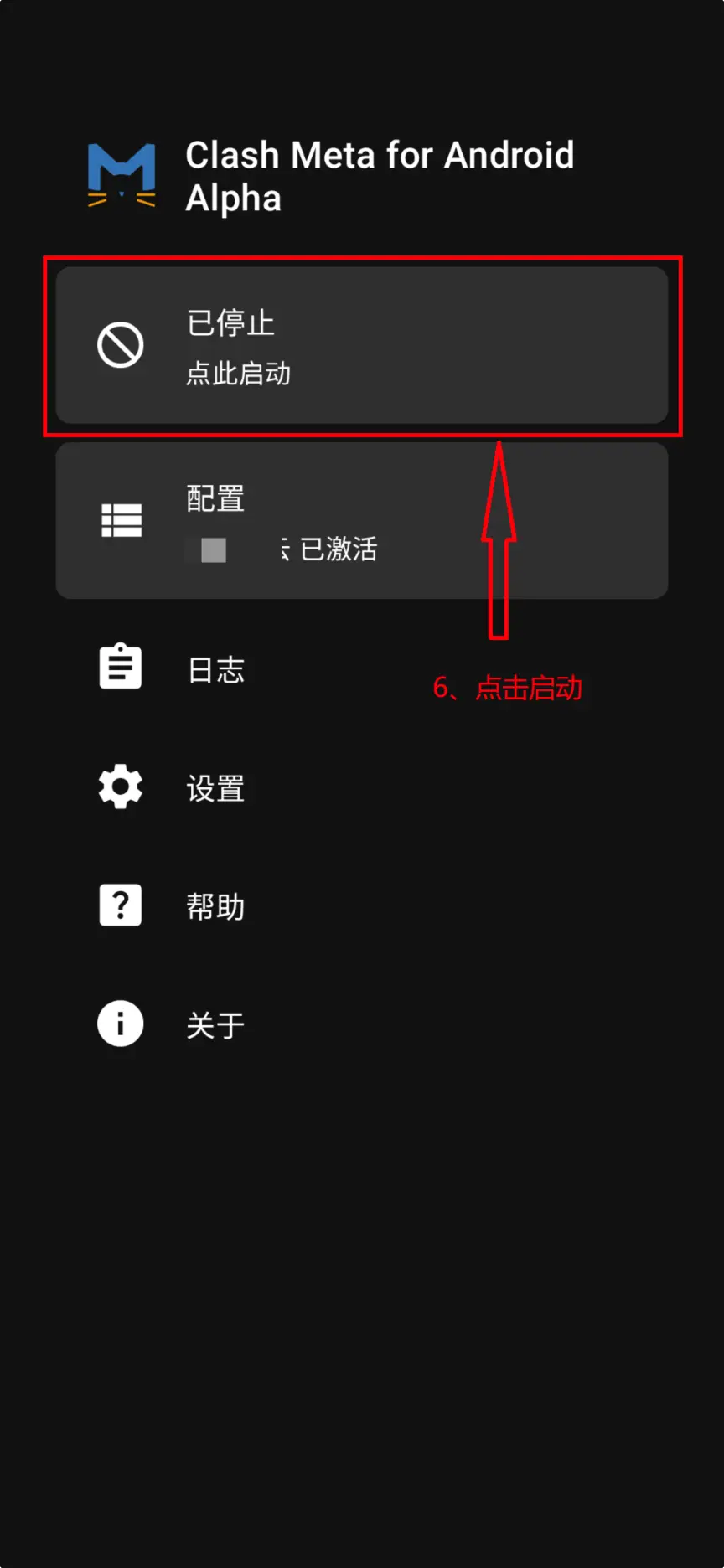
Return to the main interface and click the Start button (Airplane icon). During the first startup, the system will ask for "Connection Request" permission. Please click OK/Allow.
Now you can click Proxy to select different nodes.